SplitPea is in beta - built for founders, marketers, and small teams who test before they guess.

You test a change, SplitPea tells you if it worked

SplitPea does A/B testing and nothing else. A snippet on your site, a visual editor, plain results, and a log of every decision you've made.

Experiment brief

Pricing page headline

Hypothesis Clearer outcome copy will increase trials.
ControlStart free
VariantLaunch test
01 What you get with SplitPea

Six features. That's the whole product

We left out the feature sprawl on purpose. Here's what SplitPea does.

01

Experiment builder

Name the test, write down what you think will happen, pick the page, and choose what counts as a win. Takes about two minutes.

02

Visual Editor

Click the headline, the button, or whatever you want to change. Type the new version. No code, no dev ticket.

03

Traffic splitting

Half your visitors see the original, half see the variant. Same person always gets the same version. SplitPea handles this automatically.

04

Goal tracking

Pick the action that matters - a signup, a click, a form submission - and SplitPea counts how often each version gets it done.

05

Plain results

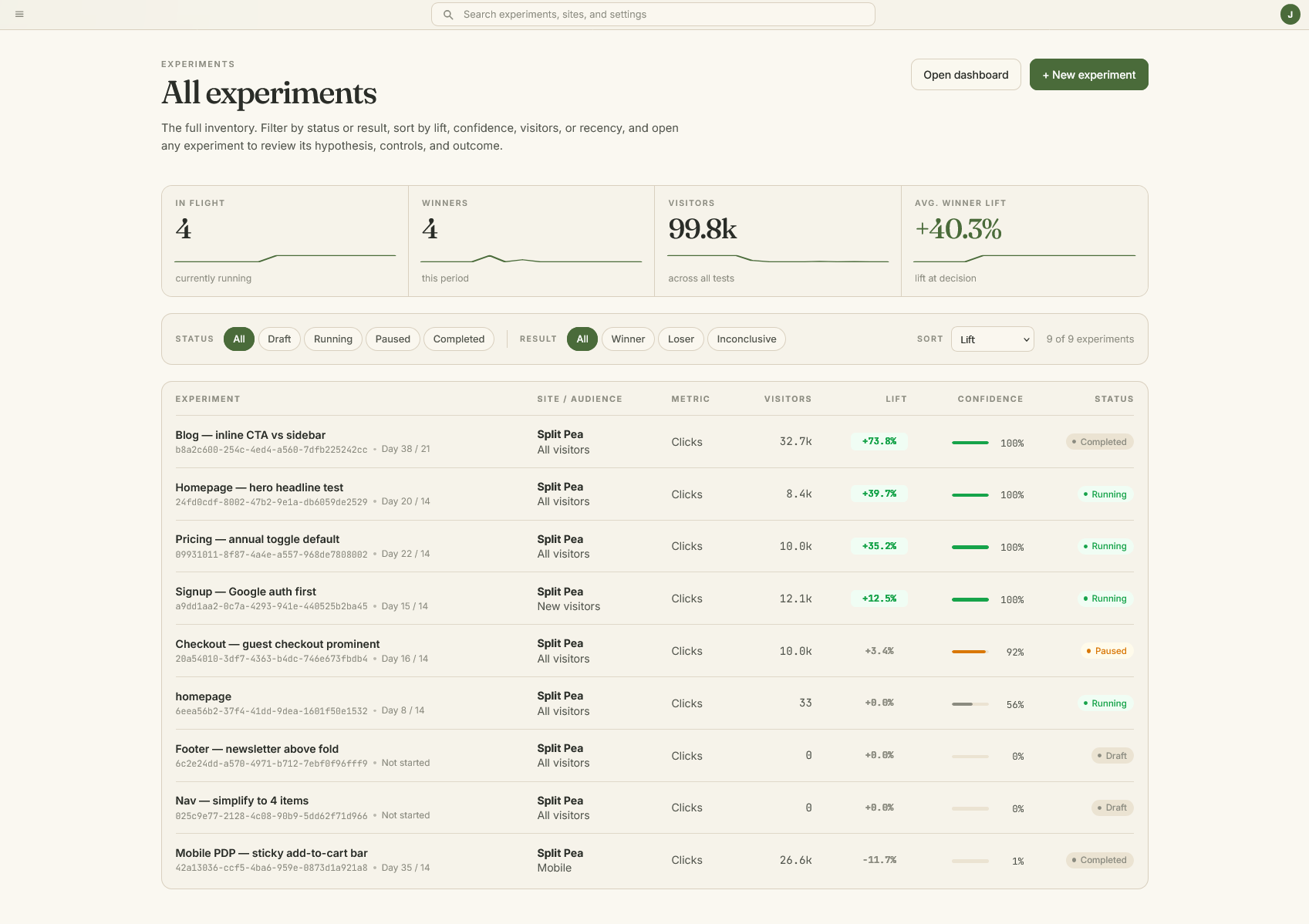
Conversion rate, lift, and a confidence number that tells you whether the difference is real. If it's not clear yet, SplitPea says so.

06

Decision log

Every experiment gets a verdict: ship A, ship B, or inconclusive. The log keeps the date, who decided, and why. Your site builds a testing history whether you're thinking about it or not.

Why SplitPea

We're cheaper and do what you need.

Google Optimize is gone. The next tier starts at $200/month and assumes you have a growth team. SplitPea is for people who just want to test their site without the overhead.

One snippetPaste it once, no build step, no tag manager required
Under 18KBLoads async, your visitors won't notice it
Free for 1 experimentPaid plans start $29/mo, about what a domain costs

Google Optimize alternative

A simpler replacement for the tests Google Optimize used to handle.

If you miss the old paste-a-snippet, edit-the-page workflow, SplitPea keeps that shape and trims the parts small teams do not need. It is built for practical A/B testing on landing pages, pricing pages, lead forms, and campaign pages.

Compare alternatives

Replacement checklist

Simple tests, clear calls

Fit
Visual page changes
Lightweight install snippet
Plain-language confidence

Readable results

Results you can actually read.

Every experiment gets a focused report with the metrics that matter: visitors, conversions, lift, confidence, and a recommended next action.

Verdict

Variant B is leading

96%
Control4.1%
Variant B5.2%

Visitors

2.4k

Lift

+24%

State

Ship

Easy to install

Add one snippet and start testing from your own site.

One script tag in your site's head. Green dot on your dashboard means it's working. That's the whole install.

Install snippet

<script async src="https://app.splitpea.co/snippet/sp.js" data-site="your-site-id"></script>
Paste before </head>
Verify site connection
Launch your first experiment

Easy to use visual editor

Point at the page, pick the element, write the variant.

Your site loads in the editor. Click a headline, a button, a paragraph, then type the new version.

Headline Launch smarter tests

Variant copy

Test a clearer promise

Select

Click

Change

Edit

Save

Ship

FAQ

Feature questions, answered plainly.

Do I need to know how to code?

No. The visual editor lets you click on elements and change them directly: text, buttons, images, layout. That's enough for most tests.

If you know CSS selectors, you can use those for more precise targeting. But it's not required, and most people never need to.

How do I install it?

You add a small JavaScript snippet to your site, similar to how you'd add Google Analytics. One snippet, one time. It works with static sites, WordPress, Squarespace, Shopify, basically anything where you can paste a script tag.

Once the snippet is in place, you create and manage experiments from the SplitPea dashboard. You don't need to touch your site's code again unless you want to.

How does SplitPea know which version won?

SplitPea uses Bayesian statistics to estimate how likely it is that one variant is outperforming another. In the interface, that's shown as confidence, alongside visitors, conversions, conversion rate, and lift.

The important part is the decision state. SplitPea helps distinguish a likely winner from a test that's still running, inconclusive, or too light on data. That keeps the result useful without asking you to become a statistician.

Will this slow down my website?

The snippet is under 8KB and loads asynchronously. Your visitors won't notice it.

Can I run more than one experiment at a time?

Yes, but on different pages. Running two experiments on the same page muddies the results because you can't tell which change caused the difference. SplitPea won't stop you, but it'll flag the overlap.

What counts as a conversion?

You define that when you set up the experiment. It could be a button click, a form submission, a page visit, or whatever action matters for the test you're running.

SplitPea doesn't assume what success looks like for your site. You tell it what to measure.

Use the whole toolkit
on one clear test.

Install once, compose a variant, measure the result, and keep the decision.

Start free, no card → Back to home 14-day trial · cancel any time
One experiment is enough to learn something